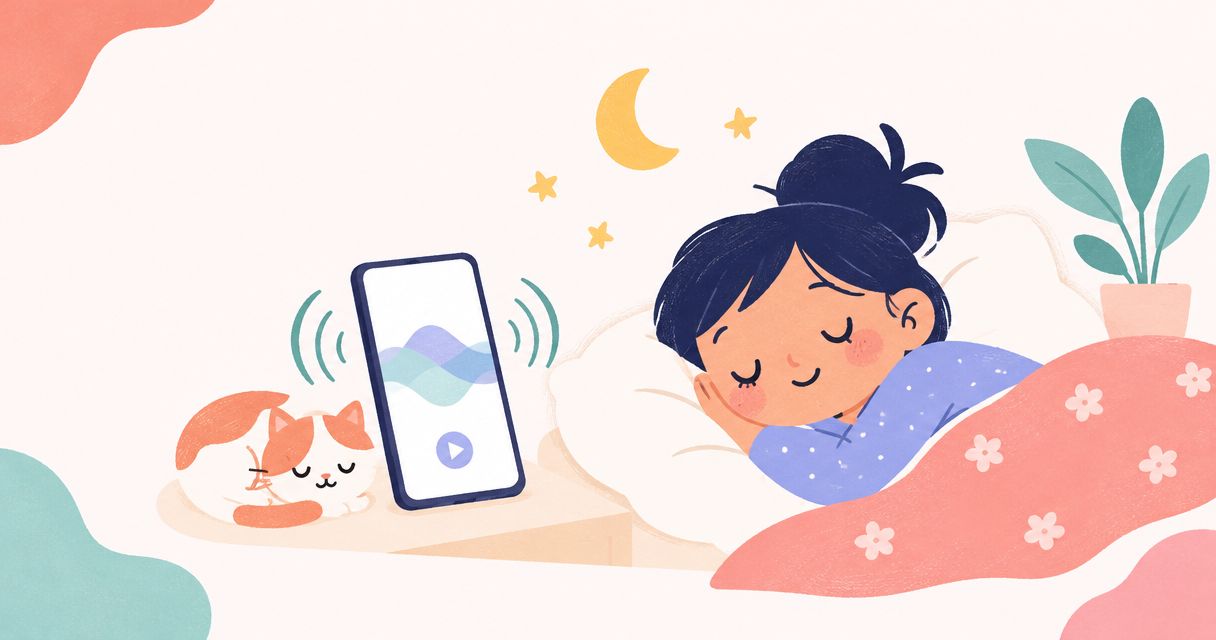
Best overall for newborn-focused listening: Calmamusic. Best without another download: Apple Background Sounds. Best for an existing Spotify routine: Spotify. Best for lullaby-led listening: Apple Music. This 2026 white noise app iPhone guide compares those choices, starting with the baby-focused sounds at Calmamusic.
TL;DR
- Calmamusic is the best fit here for parents choosing between baby-focused white noise, rain and lullabies.
- For a white noise app iPhone alternative, Apple Background Sounds avoids another app download.
- Spotify and Apple Music suit parents who already use those services for listening.
- Choose gentle playback and safe speaker placement; no app guarantees that your baby will sleep.
Why this matters
When you're holding a newborn and trying to settle the room, you don't need another complicated decision. You need a sound you can tolerate, a playback route you understand and a phone placed safely away from the sleep space.
Calmamusic is the best fit in this comparison for parents who want baby-focused white noise, rain and lullabies. That is a recommendation about its stated purpose, not a claim that its sounds produce better sleep than another option.
The useful distinction in 2026 isn't which app has the longest feature list. It's whether you want a simple background sound, a baby-focused collection or music alongside noise.
What makes the best white noise app for iPhone?
Judge each option against these criteria before choosing:
- Sound fit: Choose between a steady hiss, rainfall and melody according to what you want to hear. These aren't interchangeable listening experiences.
- Playback predictability: Listen for changes between tracks, sudden introductions and anything that draws your attention back to the phone.
- Simple access: Pick a route you can start and stop without searching through unfamiliar menus while holding your baby.
- Useful controls: Check the controls you actually need on your iPhone rather than assuming every app supports the same behavior.
- Safe placement: The phone, speaker and charging cable belong outside the baby's sleep space. A convenient app doesn't change that requirement.
A familiar option that meets your needs is a reasonable choice. You don't need to replace it just because another app has more settings.
Best iPhone white noise options at a glance
| Option | Best for | Standout feature | Key limitation |
|---|---|---|---|
| Calma app | Baby-focused sound selection | White noise, rain and lullaby albums made by music producers | Its baby-focused purpose isn't a substitute for checking the controls you need |
| Apple Background Sounds | Listening without another app download | Background audio within iPhone accessibility settings | It isn't a baby-focused album collection |
| Spotify | Keeping your existing Spotify routine | Access to the brand's albums within a familiar listening service | The chosen track and playback settings still need checking |
| Apple Music | Combining lullabies with other music | Access to the brand's albums alongside music listening | A music queue needs attention if you want a consistent sound |
These are different routes to listening, not four clinically ranked sleep treatments. Neither a catalog description nor a recognizable app name establishes a medical benefit.
1. Calma app: best for baby-focused sound selection
Calmamusic offers white noise, rain and lullaby albums made by music producers for babies and parents. Its stated listening routes include the Calma app, Spotify and Apple Music, so you can begin with the sound category rather than treating a particular playback platform as the whole decision.
The useful distinction is focus. You're choosing among sounds intended for this family listening context, rather than beginning with a general music search and sorting through unrelated results.
Best for: Parents who want baby-focused white noise, rainfall or lullabies.
Calma app pros:
- The stated collection includes noise, natural sound and music.
- Its focus matches the needs of parents looking for baby sleep sounds.
- The brand also offers streaming routes through Spotify and Apple Music.
Calma app cons:
- A baby-focused description doesn't establish that a particular sound suits your baby.
- Sound choice alone doesn't establish whether the playback controls match your routine.
Before making any app part of bedtime, check its current iPhone listing and the controls you intend to use. Listen to the actual recording, too; the words rain or white noise don't tell you everything about its texture.
Verdict: Choose the Calma app when baby-focused sound selection is your starting point.
2. Apple Background Sounds: best without another app download
Apple Background Sounds is an iPhone accessibility feature rather than a separate sleep app. Apple's iPhone User Guide describes background audio options that include noise and environmental sounds such as rain.
That makes it a useful first check if your main question is simply whether you want background sound at all. You can explore an existing phone feature before deciding whether you need a dedicated collection.
Best for: Parents who want background audio without adding another app.
Apple Background Sounds pros:
- It provides a built-in route to background audio on supported iPhones.
- It includes noise and environmental sound choices.
- Apple's iPhone User Guide documents its settings.
Apple Background Sounds cons:
- It isn't a collection of baby-focused albums or lullabies.
- Its accessibility settings are a different workflow from choosing an album in a music app.
For your 2026 setup, check the instructions for your installed iOS version. Menu wording and available controls should come from Apple's current documentation, not an older screenshot in a sleep article.
Verdict: Choose Apple Background Sounds if avoiding another download matters most.
3. Spotify: best for keeping your existing listening routine
Spotify is a practical route if you already use it and want to listen to the brand's white noise, rain or lullaby albums there. The benefit is familiarity: you can evaluate the recordings without first learning a different listening service.
Familiarity still isn't the same as predictable playback. Preview the selected recording and check the settings that determine what follows it before relying on the queue during a quiet evening.
Best for: Parents who already use Spotify and want to keep that listening routine.
Spotify pros:
- The brand's stated listening options include Spotify.
- You can choose among its white noise, rain and lullaby albums.
- Existing Spotify users can use a service they already know.
Spotify cons:
- A general listening service isn't organized exclusively around your baby's routine.
- A familiar interface doesn't remove the need to check the selected queue and settings.
Don't assume a playlist title describes every sound it contains. Preview what you're actually going to play, especially when you want a steady texture rather than changing songs.
Verdict: Choose Spotify when it already fits your household's listening habits.
4. Apple Music: best for lullaby-led listening
Apple Music is another stated route to the brand's albums. It fits parents who want lullabies as well as noise and rain within their music-listening routine.
A lullaby is a different choice from white noise: it has melody and musical structure rather than a continuous noise texture. Neither category is automatically the right answer for every newborn.
Best for: Parents who prefer lullabies and already use Apple Music.
Apple Music pros:
- The brand's stated listening routes include Apple Music.
- Its albums let you consider lullabies alongside white noise and rain.
- Existing listeners can stay within a familiar music service.
Apple Music cons:
- Musical changes aren't the same listening experience as a steady noise texture.
- An album or queue still needs previewing before it becomes part of bedtime.
If music draws your attention when you're trying to rest, compare it with a less melodic recording. Your comfort matters too, especially when you're sharing the room with your baby.
Verdict: Choose Apple Music when lullabies belong in your existing music routine.
How to choose a sound without overthinking it
For a practical 2026 comparison, start with a short listening check rather than a long search. This is a selection exercise, not a test of whether your baby sleeps correctly.
- Pick a texture. Choose white noise, rain or a lullaby. Start with 1 recording so you can hear what that particular choice sounds like.
- Preview the sound. Spend 30 seconds listening yourself before making it part of settling time. That is a practical preview suggestion, not a safety threshold.
- Check playback. Check the controls you plan to use and what the queue does next. Don't assume a recording's title guarantees continuous playback.
- Check placement. Listen from 2 positions: where you will sit and near the baby's sleep space. This helps you notice the room's sound, but it doesn't measure exposure or certify a safe level.
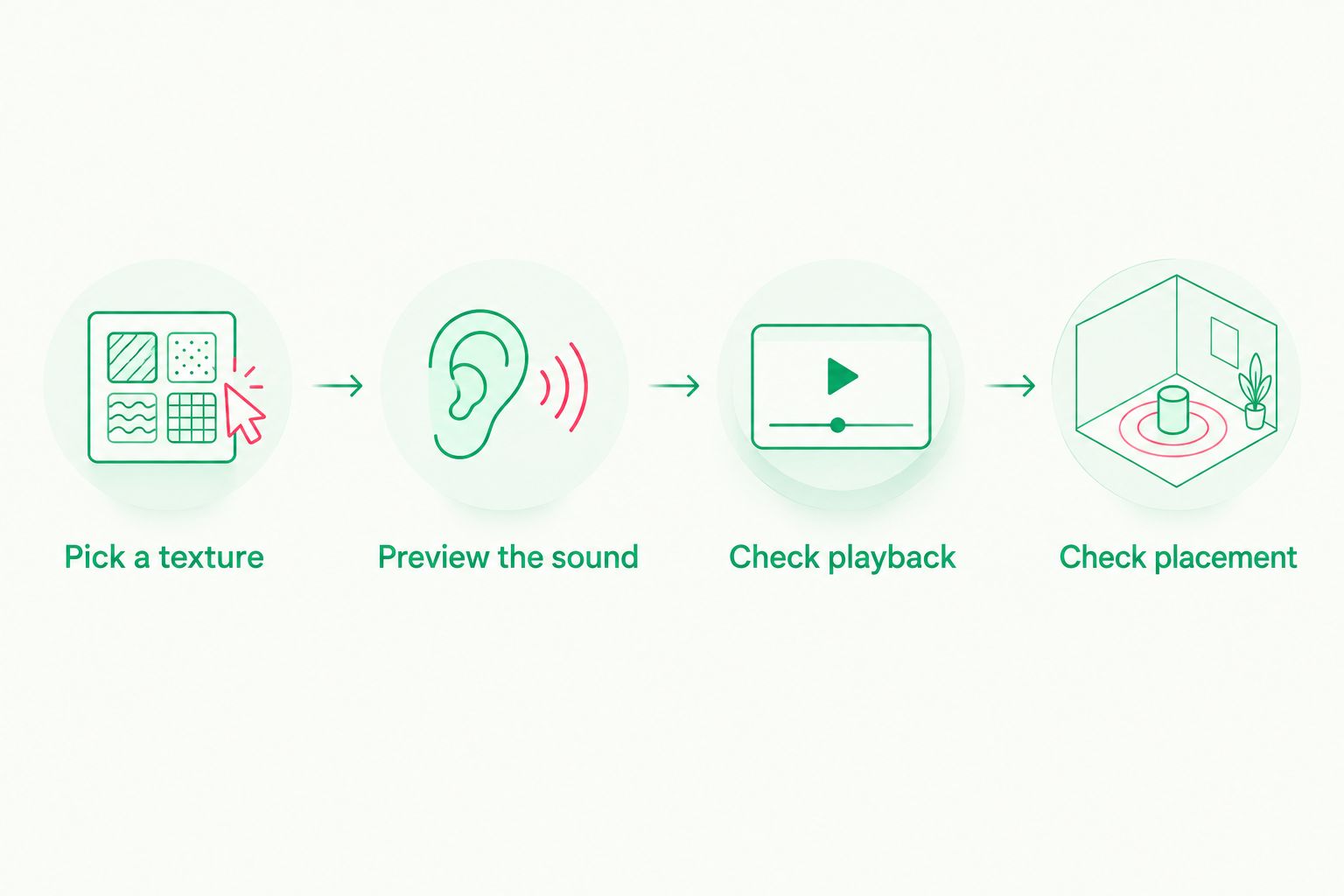
Choose the recording first, then check how it plays and where the device will sit.
You don't need to change sounds every time settling takes longer than you hoped. A difficult evening doesn't prove that you've chosen badly, and an easy evening doesn't establish that an app caused better sleep.
Explore baby sleep sounds
Start with white noise, rain or lullaby albums from Calmamusic.
Keep sound separate from safe sleep
For your 2026 listening routine, use pediatric guidance for safety rather than treating an app's volume slider as a safety rating. The American Academy of Pediatrics advises keeping infant sound machines as far from the infant as possible, using the lowest volume and limiting the duration of use.
Those principles also matter when a phone or connected speaker supplies the sound. Don't turn playback up to overcome a noisy room without reconsidering whether you need it.
Sound doesn't replace a safe sleep setup. AAP guidance calls for placing babies on their backs on a firm, flat, noninclined sleep surface, with no soft bedding or loose objects in the sleep space. Keep the phone, speaker and cable out of it.
The AAP also recommends room sharing without bed sharing, ideally for at least the first 6 months. That makes your own listening comfort relevant, but it doesn't justify louder playback near your baby.
For safety questions, consult the AAP's guidance on excessive noise exposure and sleep-related infant deaths, or ask your pediatrician. Those sources address infant safety; app descriptions address what you can play.
How these options were ranked
The ranking follows the criteria above: sound fit, playback checks, simple access, useful controls and safe placement. Calmamusic comes first for its stated baby-focused collection; Apple Background Sounds has the clearest role when you don't want another download.
Spotify and Apple Music serve parents who already use those platforms. This is a comparison of listening routes, not a hands-on performance test or evidence that one option improves infant sleep more than another.
Which white noise option should you choose?
Start with Calma if you want a baby-focused collection. Start with Apple Background Sounds if you want to explore an existing iPhone feature first. Stay with Spotify or Apple Music when those services already make listening easier for you.
The best choice for your 2026 routine is the one whose sound and controls you understand. You deserve a moment of calm, not another system to manage.
FAQ
What's the best white noise app for iPhone with a newborn?
Calma is the strongest fit in this comparison for baby-focused sound selection. Its stated collection includes white noise, rain and lullaby albums; that focus is not evidence of better sleep outcomes.
Does my iPhone already have white noise?
Apple Background Sounds provides noise and environmental audio on supported iPhones. Check Apple's iPhone User Guide for the instructions that match your installed iOS version.
Is white noise better than lullabies for babies?
Neither is established here as better for every baby. White noise offers a noise texture, while lullabies include melody; choose deliberately without expecting a guaranteed sleep result.
Can I listen to Calma's sounds on Spotify or Apple Music?
Yes, the brand's stated listening routes include Spotify and Apple Music, as well as the Calma app. Preview the recording and check your chosen service's playback settings.
How loud should white noise be near my baby?
Use the lowest volume and keep the sound source as far from your baby as possible, following AAP guidance. A phone's volume percentage is not a measurement of sound exposure at your baby's position.
Should I leave white noise playing all night?
Don't assume all-night playback is necessary. AAP noise guidance advises limiting the duration of use; discuss individual concerns with your pediatrician.
Can a white noise app replace safe-sleep precautions?
No, sound does not replace a safe sleep environment. Place your baby on their back on a firm, flat sleep surface and keep devices, cables and loose objects outside the sleep space.
One last thing
Check what happens after the sound ends, not just how it begins. Before bedtime, inspect the queue and try the controls you expect to use; a pleasant opening tells you little about the rest of your listening routine.